Introducing Fast Reactions & Comments: Respond in a Single Click
Repetitive outreach tasks can quickly drain your team's energy. Today, we're introducing Fast Actions—a new way to log outcomes, schedule follow-ups, and resolve conversations on LinkedIn in just one click.
How It Works: The Fast Actions Menu
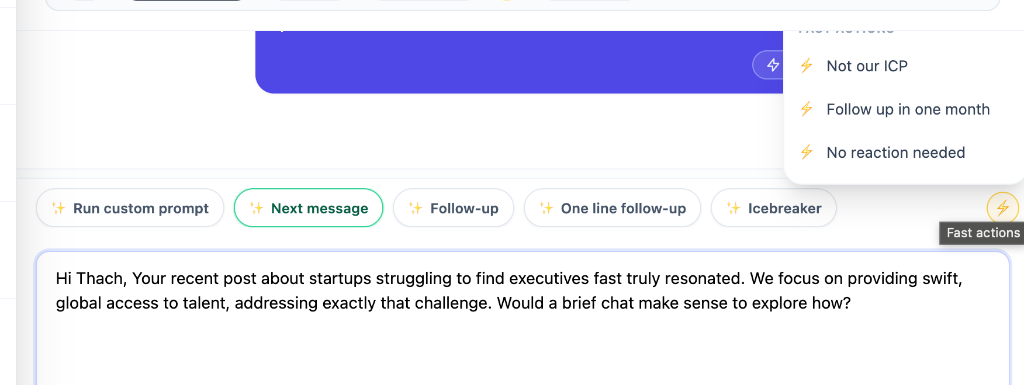
When viewing any conversation in your inbox, you'll now find a lightning bolt icon in the action bar. Clicking it opens a dropdown of predefined quick actions customized for your sales workflow.
By default, we've included three essential reactions:
- Not our ICP: Quickly flag prospects that do not fit your Ideal Customer Profile.
- Follow up in one month: Defer the thread and set a reminder to re-engage in 30 days.
- No reaction needed: Resolve the conversation immediately when no further reply is required.
One-Click Notes & Resolution
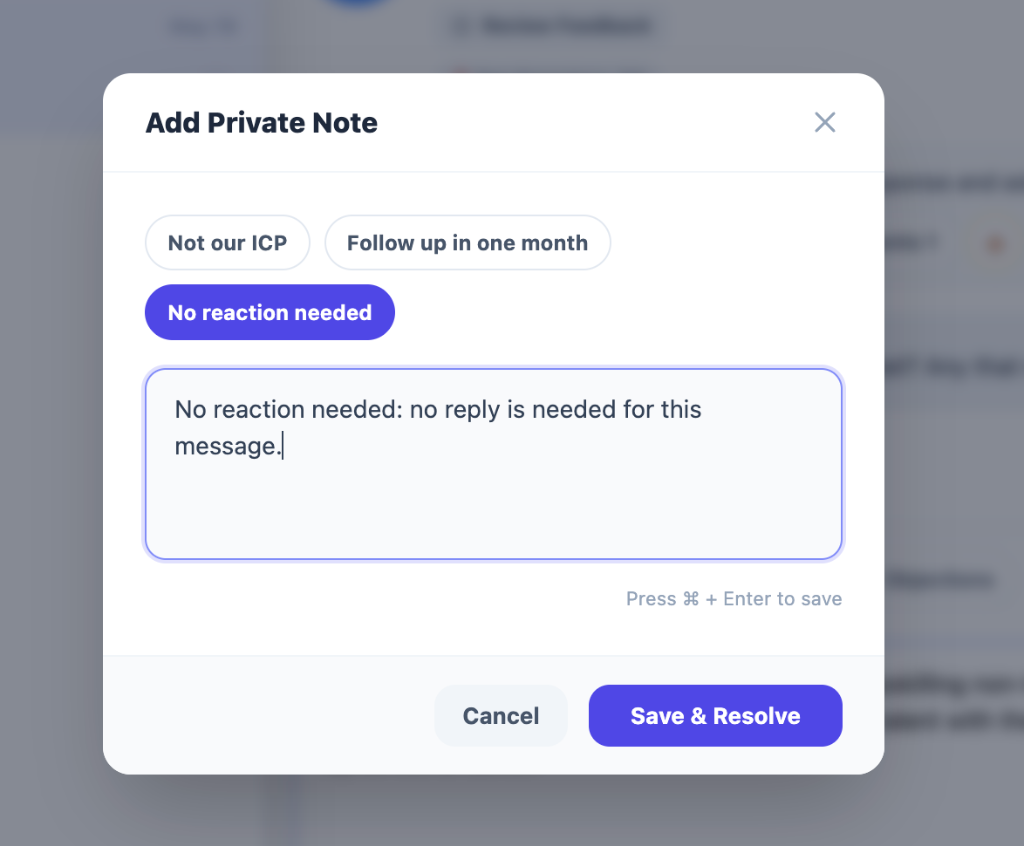
Selecting any option from the Fast Actions menu automatically launches the Add Private Note dialog.
The system prepopulates the note with context-specific descriptions (e.g., "No reaction needed: no reply is needed for this message."). All you have to do is hit Save & Resolve (or press Cmd + Enter) to complete the action.
We want your ideas!
We are actively expanding our Fast Actions library and want to build what helps your workflow most. What other templates or status reactions would you like to see?
Reach out to our support team or drop us a message with your feature requests!
Start Saving Time Today
Fast Actions are available starting today in the Linxa extension and web application. Update your extension to the latest version to try it out!